Think of a connected bulb as a light source plus electronics and a supported control path. A command can change only the functions the actual device and chosen platform support. “Smart” does not mean every bulb uses the same network or needs continuous internet for every action.
Follow one command through the arrangement
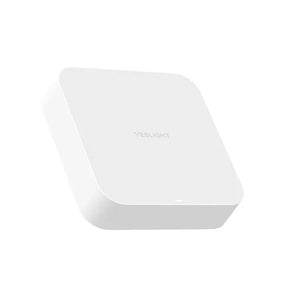
For your setup, identify the control you use, the connection it relies on and the device that receives it. A direct Wi-Fi product and a gateway-connected product are different arrangements. If you own W3, its documentation identifies built-in Wi-Fi without a hub. W3 is out of stock at this review; use the instructions for the device you actually have.
Separate power, connection and function
| Layer | Check before drawing a conclusion |
|---|---|
| Electrical power | Is the lamp supplied as its instructions require? Do not alter fixed wiring to diagnose an app. |
| Control path | Which app, network, controller or gateway belongs to this exact model? |
| Supported function | Does this device and platform actually expose the requested dimming, colour or scene? |
Local and remote are not interchangeable terms
CSA distinguishes local Matter control from away-from-home access that depends on an internet-connected controller. That describes the standard’s control arrangements; it does not certify every Yeelight bulb as Matter or establish the behaviour of an unrelated app. Check the actual route instead of equating “wireless” with “from anywhere”.
Why one failed command is not a life rating
An unreachable app entry, unsupported colour command and failed light source are different findings. Start with the appropriate model-specific checks and record the error. Do not assume a reset fixes every layer or that an offline state proves the LED is worn out. Treat physical damage or electrical concerns separately through suitable support.