This page follows the earlier Yeelight and Alexa Arabic-language announcement for Saudi Arabia and the UAE. For a setup today, verify the exact light, the Alexa service available to your account and the supported language and region instead of treating an announcement as a compatibility list.
Identify the light and its connection first
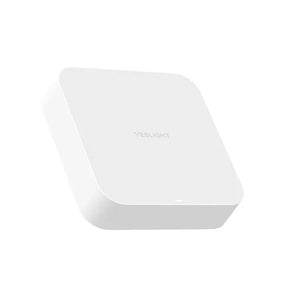
Use the product’s exact model and current instructions to establish its app, gateway and supported platforms. The catalog lists Alexa support on specific products such as Pura Pro; that does not establish it for every Yeelight device or every possible function. Get the light working through its documented basic path first.
Language and distribution are different checks
Amazon’s developer documentation lists Arabic ar-SA as a locale and explains that skill language and country distribution are separate considerations. Those developer details do not by themselves verify a particular smart-home skill in your account. Check the service, account region and current language options in the actual Alexa setup.
Use the current official connection instructions
Follow the current manufacturer and Alexa instructions for the supported integration. Do not assume that every lighting scene, advanced effect or device setting becomes a voice command. Try a basic supported action, then test the specific function you need before relying on it in a routine.
Keep a practical alternative
Retain the documented app or physical control path for the model. If the intended integration or language option is absent, confirm support before changing accounts or buying another device. Never share account credentials or pairing codes in a public support conversation.