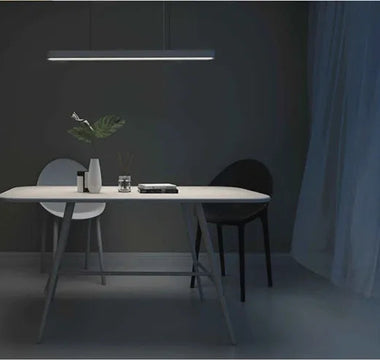
A monitor light bar lights the work surface from above the screen; it is not the same thing as a strip behind the monitor. Compare the front light, rear effects, controls, mounting and power requirements separately before choosing a Yeelight model.
Task light, background light and a desk lamp
For paperwork and a keyboard, look at where the front light falls. For colour behind the screen, look for a rear-light feature or a separate ambient light. A desk lamp offers different positioning and may be easier to aim over a drawing or a second work area. Neither format automatically eliminates screen reflections: check the result from your normal seated position.
If a separate lamp suits your workspace better, browse our desk lights; for colour effects around a gaming setup, see gaming lighting.
Compare the three current light-bar models
Pura Lite is the manual-control choice for everyday front lighting. Pura Pro adds an automatic brightness sensor and connected controls. For colour behind the screen, compare in-stock options such as the Obsid RGBIC Light Strip, Light Strip Pro, or Beam RGBIC light bars. Check voice-assistant support on the exact model.
Check the mount and power before installation
Measure the monitor bezel and inspect the clamp position, screen curvature and webcam clearance. A product described for curved screens still needs a suitable mounting surface. Follow the exact power requirement: a USB-shaped socket does not prove that a monitor or computer port can supply enough power. The Screen Light Bar Pro listing identifies a USB-cable-only package, so check what separate power equipment you need.
Choose by the job, not a headline brightness figure
Use Pura Lite when you want simple local adjustments, Pura Pro when automatic adjustment or connected control matters, and an in-stock colour option such as Obsid, Light Strip Pro or Beam when rear or desk RGB is the priority. Lux figures depend on measurement distance and position; comparing isolated numbers without the test conditions can be misleading. None of these distinctions is a promise of medical eye protection or improved gaming performance.
Related choices and guides
Frequently asked questions
Will a monitor light bar fit every monitor?
No. Check the exact clamp, bezel, curvature and webcam arrangement before choosing. Do not assume universal fit from a photograph.
Does USB power mean an adapter is included?
No. Check the package contents and power requirement on the Pura Lite or Pura Pro product page.
Does game sync mean automatic TV picture matching?
No. Razer Chroma or Overwolf integration is different from a dedicated TV picture-sync system. Check the exact software and supported content.
Which model has automatic brightness control?
Pura Pro is the model in this comparison with an automatic brightness sensor. Pura Lite is the simpler manual-control option.
Where should I check warranty terms?
Read the Saudi store terms for the exact product rather than importing warranty or returns promises from an international review.