
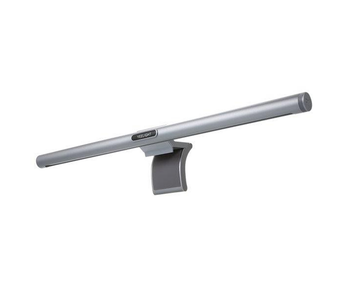
A monitor light bar can put task light above the work surface without adding a lamp base beside the keyboard. That practical benefit depends on fit and aiming; it is not a guarantee of eye protection or a cure for screen discomfort.
What it can change on the desk
A suitable mounted bar can illuminate papers or controls while leaving the desk’s lamp-base area available. Check whether the illuminated area reaches the work you actually do. It does not increase the display’s own resolution or replace the screen’s brightness controls.
What still needs adjustment
Test the mount alongside the webcam and monitor controls. From your seated position, look for a visible source or a reflected bright patch in the screen. A useful design still needs a suitable position; “screen light” is not proof that every installation is glare-free.
Front light and backlight serve different purposes
Screen Light Bar Pro YLTD003 documents front task light and a separate RGB backlight. Do not assume every bar has that second function. The current Pura Pro and Pura Lite descriptions should be checked individually for their actual adjustment and control features.
Treat comfort as a wider workstation question
The American Academy of Ophthalmology recommends considering screen brightness, glare and breaks when dealing with digital eye strain. A lighting accessory is one part of the arrangement, not evidence that a lamp filters harmful wavelengths or prevents disease. Persistent symptoms deserve appropriate eye-care advice.







