
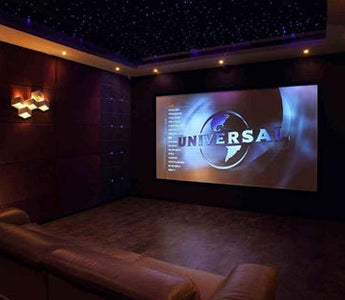
For movie viewing, keep unwanted light off the screen and bright sources out of the normal viewing direction. A little carefully positioned background or room light can be useful, but the right result depends on your screen, wall and seating.
Start with the seating position
View the screen from the seat you actually use and look for reflections from lamps, windows and ceiling fittings. Turn off or reposition the source creating the reflection instead of simply darkening every corner. Keep a safe, understandable route through the room, with controls that can be reached without crossing cables or moving furniture.
Try background light before permanent fixing
A strip behind a screen can illuminate the surrounding wall, but the wall colour, mounting gap and visible LED hotspots change the effect. Start with a restrained setting and check different scenes. Decorative colour is not automatically a calibrated reference white, and an RGB effect does not establish a health or image-accuracy benefit.
Separate ambience from picture sync
A static colour scene, music response and a picture-driven effect are three different functions. Light Strip Pro’s supported music and software integrations do not prove universal TV screen synchronisation. Confirm the exact input and required equipment for any picture-reactive system. Do not assume that a television USB port supplies the power a strip kit requires.
Related choices and guides
Frequently asked questions
Will any RGB strip follow a movie’s colours?
No. Colour control alone does not read the displayed picture.
Should I make the background as bright as possible?
No. Judge the result from the viewing seat and avoid a background that distracts from the screen.







