
Choose a gaming lamp for the job it will do. Lighting your notes, keeping the desk surface clear and adding a coloured object to the background are different needs; one “best gaming lamp” label does not resolve them.
A table lamp puts the light on furniture
Check the footprint, cable route and reach of the controls. The current D2, SKU YLCT01YL, combines adjustable white and colour functions in a table-lamp form. Its documented Razer Chroma functions are an optional integration, not a requirement for using a steady light. Judge where its light falls on your actual desk before choosing it for a particular task.
A screen bar uses a different mounting position
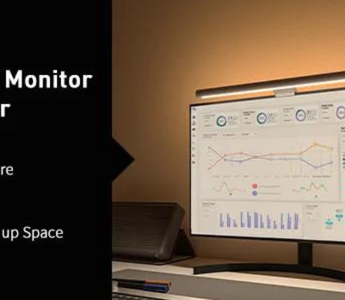
A monitor-mounted light can leave more of the desk surface free, but the screen still needs a suitable mounting arrangement. Check the bezel, webcam and stand together. Screen Light Bar Pro YLTD003 has separate front task lighting and an RGB backlight; the local listing specifies a USB cable without a power adapter. That is different from a self-contained table-lamp arrangement.
An accent is not automatically a reading light
Modular Cube lights are another form for a visible decorative feature. Start with the required Cube+Base rather than an extension alone. Do not choose an accent by its colour count and assume it also lights a book or keyboard appropriately.
Test the arrangement before judging effects
From your playing seat, check the task surface, exposed sources and reflections. Then try the controls you will use daily. A lamp cannot guarantee longer playing stamina or better results; useful placement and manageable controls are better selection criteria.







