Long screen sessions can leave your eyes feeling tired. Lighting will not treat an eye condition, but a badly lit desk can make screen work less comfortable. This guide covers the setup changes that are within your control. If discomfort, headaches or blurred vision persist, see an optometrist or ophthalmologist.
1. Balance the screen and the room
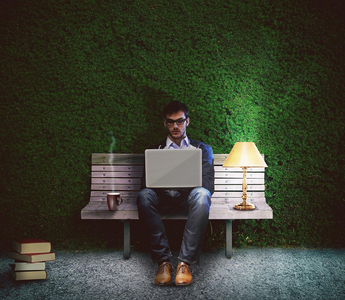
A bright screen in a dark room creates strong contrast. Keep some general room light on in the evening and avoid working with the screen as the only light source.
2. Light the desk, not the screen
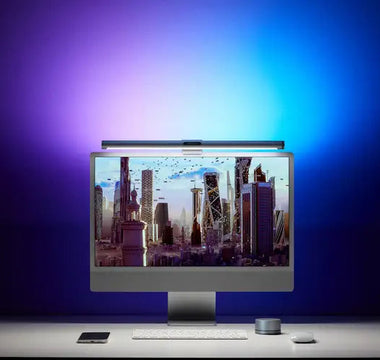
Task light should fall on the keyboard and papers without reflecting off the display. A monitor light bar sits on top of the screen and directs light forward and down. On the Pura Pro the adjustable mount is designed to help avoid screen glare; the Pura Lite offers the same monitor-mounted approach with three colour-temperature modes.
3. Control glare and reflections
- Position the screen so windows are to the side rather than directly behind or in front of you.
- Use a matte surface or adjust the screen tilt if you see bright reflections.
- Avoid bare bulbs in your line of sight. More on this in what is glare.
4. Match colour temperature to the time of day
Cooler white (around 5000K–6500K) is common for daytime focus; warmer white (around 3000K) is often preferred in the evening. Pura Pro adjusts from 3000K to 6500K; Pura Lite switches between 3000K, 5000K and 6500K.
5. Screen habits
- Take regular breaks and look into the distance.
- Set screen brightness close to the surroundings instead of maximum.
- Keep the screen at a comfortable distance and slightly below eye level.
Compare desk options in monitor light bars and desk lamps.
Frequently asked questions
Can a monitor light bar cure eye strain?
No. It is a lighting product, not a treatment. It can light your desk without shining onto the screen, which some people find more comfortable. Persistent symptoms should be checked by an eye-care professional.
Which colour temperature is better for computer work?
Many people use cooler white for daytime work and warmer white in the evening. Choose a lamp that lets you adjust and use what feels comfortable.
Does Pura Lite have an auto-brightness sensor?
The auto-brightness sensor is listed for Pura Pro. Pura Lite has smooth dimming and three colour-temperature modes.