
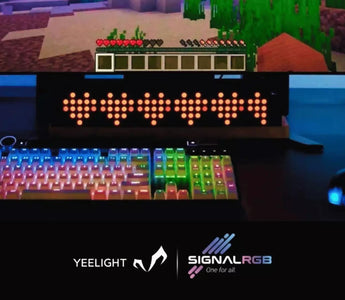
SignalRGB is desktop RGB-control software, not the Signal messaging app or a universal mobile controller. Its quick-start guide describes Windows 10 and Windows 11 support; check the current requirements and exact supported hardware before installation.
Check the exact model before choosing a platform
Use the official supported-device list for the actual model, connection and any required firmware or plugin. A brand name, RGB label or Razer Chroma feature is not proof of SignalRGB support. The current documentation does not establish compatibility for every Yeelight product, so do not buy an unsupported model on that assumption.
Which Yeelight names appear on the current list?
The official list currently names Beam RGBIC Light Bars, Cube Lite, Cube Matrix, Cube Panel, Cube Spot, Monitor Lightbar Pro and OBSID RGBIC Strip. These names help narrow the check, but are not a substitute for confirming your actual SKU, revision and required setup. Do not substitute Light Strip Pro for OBSID or assume the whole Yeelight range has the same integration.
Install only from the official source
Download from SignalRGB’s own site and follow its current onboarding instructions. Its guide warns that other RGB applications can compete for control of the same hardware. Review those conflicts before changing software, and keep any functions you still need in mind. Windows version support in an app is not a statement about the operating system’s security-support lifecycle.
Configure Devices before judging an effect
Open Devices and check detection. Controllers or motherboard channels may need configuration matching the actual connected hardware; follow the exact controller documentation rather than guessing a channel type or LED count. This lighting guide does not cover fan-speed tuning or electrical rewiring.
Arrange Layouts, then apply an effect
In Layouts, position devices to reflect their physical arrangement and save it. In Library, select an effect; use Lighting for the available parameters. Start with a simple steady effect so you can distinguish a missing device from a layout or animation choice.
For network devices, check the documented path
Where a supported Wi-Fi device needs local control, the official guide calls for the PC and device to share the appropriate local network and for any device-side setup to be completed. Use the exact device instructions. Do not disable network security broadly or assume that a phone app’s remote control proves desktop discovery will work.
Frequently Asked Questions
Does Razer Chroma support prove SignalRGB support?
No. Check the exact device in SignalRGB’s own documentation.
Is this the Signal messaging app?
No. SignalRGB is a separate desktop lighting-control application.







