
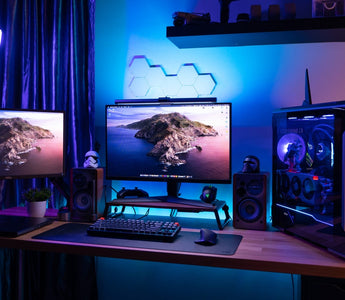
RGB lighting is useful when you want adjustable colour for a visible feature or background. Begin with what the colour is meant to do, then keep it separate from the light needed to read, prepare objects or move around safely.
Give colour a specific job
A shelf display, desk background and shared living-room feature have different viewpoints. Decide whether the light itself should be visible or should illuminate a receiving surface. Test a steady colour before adding motion, and ask other users whether the result suits their view.
Do not confuse a colour effect with white task light
A product’s RGB function does not establish the quality or distribution of its white light. D2 documents adjustable white and colour controls. Screen Light Bar Pro instead separates front task light and rear RGB. Compare those actual arrangements rather than assuming that every colourful device is also a suitable work light.
Choose the object and complete system
Cube modules make the light a visible object; Cube+Base is required to begin. Light Strip Pro suits a different system layout and requires the Standard control-box arrangement before an Extension. Follow each product’s permitted placement, mounting and power instructions.
Match the effect to its real input
Music response, Razer Chroma integrations and platform scenes describe different control paths. Check the documented model, software and intended use. None of those labels alone proves direct matching to a television’s picture, and platform compatibility does not mean every advanced effect is exposed there.







