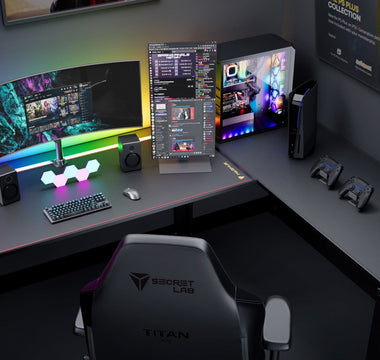
A racing-style shape or the word “ergonomic” cannot tell you whether a chair fits. Judge the chair while seated at your own working height, with the keyboard and mouse where you actually use them.
Start with the seat and back
Check that you can sit with support for the lower back and relaxed shoulders. Adjust the seat height so your arms can work comfortably at the desk, then check foot support. If your feet cannot rest on the floor in the required working position, a suitable footrest may help; lowering the chair until the desk is too high is not the only option.
Armrests must fit under the working arrangement
Try moving close enough to reach the controls without leaning. Armrests that collide with the desk can prevent that even when the chair itself feels comfortable away from it. Test the actual adjustment range, not just the number of levers listed.
Check the complete movement space
- Make sure the chair is stable and its adjustment mechanisms work.
- Check the maker’s load rating, assembly instructions and suitability of wheels or glides for your floor.
- Keep the space under the desk clear of equipment and cables that restrict movement.
- Try the chair in more than one position rather than searching for one posture to hold for an entire session.
What a chair cannot promise
A chair cannot guarantee better game results or treat pain. Breaks and changes of activity still matter. If the chair remains uncomfortable after sensible adjustment, reconsider its fit rather than adding cushions indefinitely; persistent symptoms deserve appropriate professional advice. Lighting should also be assessed separately, including reflections and access to room controls.