Plan lighting for your desk and office
Use a desk lamp or monitor light bar for the work surface, then add separate ambient light if you want colour around the desk. Choose by your screen setup, controls and placement rather than treating every Yeelight lamp as the same kind of light. Browse Desk and table lamps and Monitor light bars.
Desk and screen options
- Pura Lite monitor light bar: a manually controlled option for lighting a desk at the screen.
- Pura Pro monitor light bar: an option with app control and support for Google Assistant and Alexa.
- Star Pro table lamp: adjustable light with a wireless charging base; check phone compatibility before relying on that feature.
Separate task light from ambient light
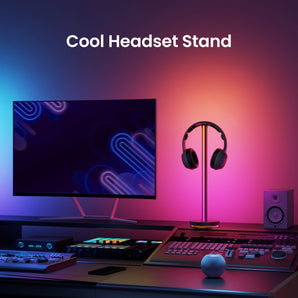
For a coloured accent beside the screen, compare the D2 table lamp with the light bars. D2 is a different product type, not a substitute for checking how a light reaches your keyboard or reading area. Position lights to limit reflections on the screen and check the mounting and power requirements on each product page.
Frequently asked questions
Does every monitor light bar support app control?
No. Pura Lite uses manual controls, while Pura Pro supports app control. Check the exact model rather than inferring features from the product category.
Does Star Pro charge every phone wirelessly?
Do not assume that it does. Check the phone and charging requirements before choosing the lamp for wireless charging.
Can I use one lamp for both work and coloured ambience?
Start with the light needed on the work surface. If you want a separate coloured accent, compare the D2 table lamp and position it for that purpose.