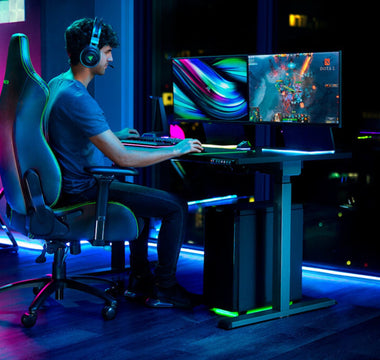
A comfortable setup lets you play longer without fidgeting. Start with the basics that apply to every desk, then add lighting that supports the screen instead of fighting it.
Desk and chair
- Set the chair so your feet rest flat and your elbows are roughly level with the desk.
- Keep the keyboard and mouse close enough that you do not reach forward.
- Leave clear space around the mouse for wide movements.
Screen position
- Place the top of the screen around eye level or slightly below.
- Sit at a distance where you can see the whole screen without turning your head a lot.
- Keep windows to the side of the screen to avoid reflections.
Lighting in layers
| Layer | Purpose | Option |
|---|---|---|
| Desk light | See keyboard and controller clearly | Pura Pro or Pura Lite monitor light bar |
| Backlight | Soften contrast behind the screen | Beam RGBIC light bars or Obsid strip |
| Accent | Personal style and clock | Cube Panel/Spot or D2 lamp |
Cable management
Group cables under the desk with clips or a tray, and plan where USB-powered lights plug in before mounting them. Beam’s built-in headset stand keeps a headset off the desk.
Breaks
Stand, stretch and look away from the screen regularly during long sessions.
More ideas: gaming room lighting setup and gaming lighting.
Frequently asked questions
What lighting is best for a gaming setup?
A white desk light for visibility plus a dim backlight behind the screen; add RGB accents for style.
How high should my gaming monitor be?
A common guideline is to have the top of the screen around eye level or slightly below.